


Isometric Drawing Tool
Draw 3D-looking volumes on a pixel grid: boxes, ramps, stairs, cylinders and more, with precise per-axis control.
Learn more in the docs →
How it works
- Create — click and drag on the canvas to place a volume.
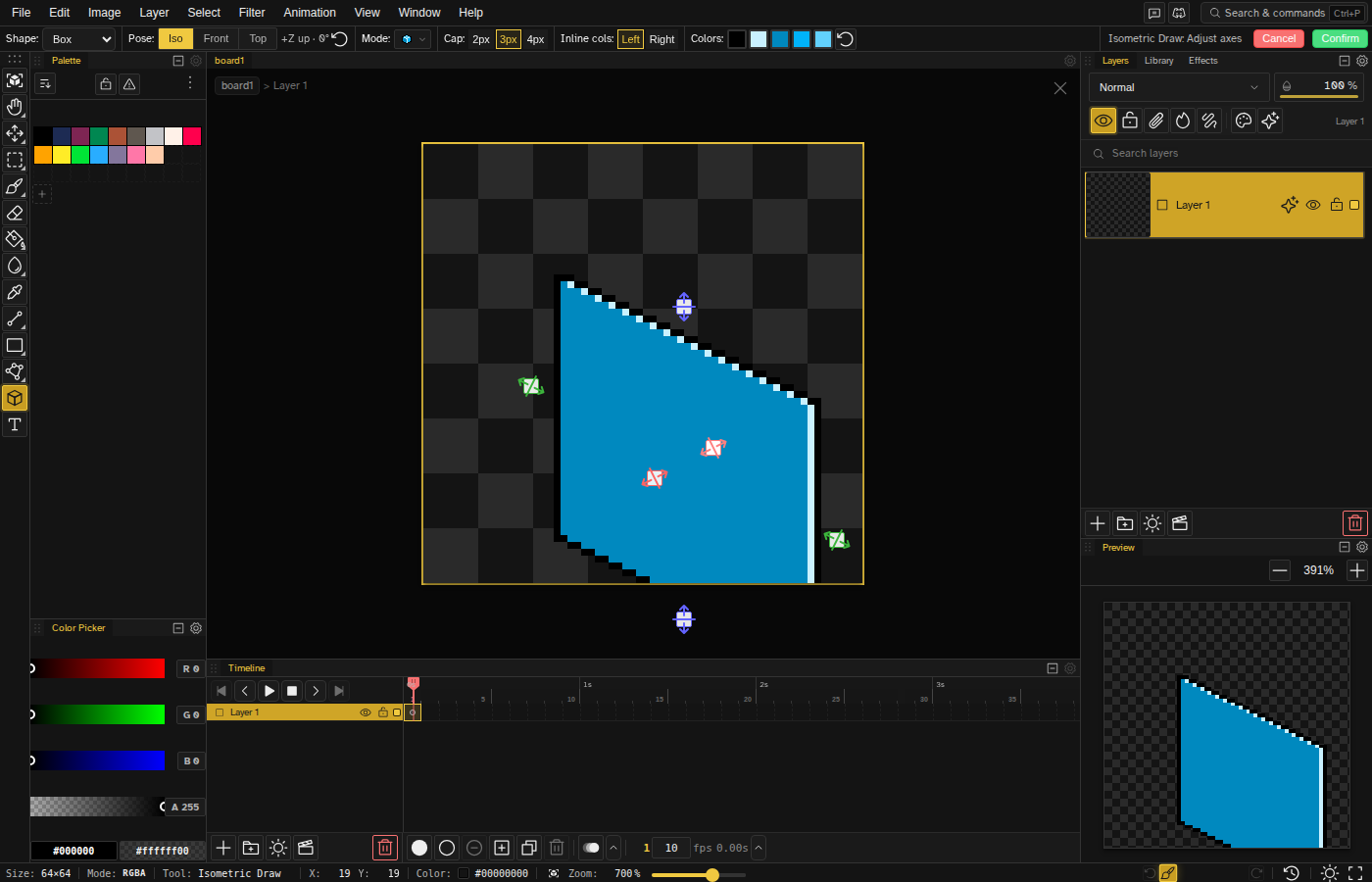
- Adjust — drag the on-canvas handles to set width, depth, and height independently; switch volume type or orientation in the tool options.
- Commit — press Enter and the volume becomes regular pixels you can paint over, animate, or export.
The tool renders true 2:1 isometric edges, so lines stay pixel-perfect at any size — no manual stair-stepping. An isometric grid overlay and snap are available from the View menu for freehand work around your volumes.
What You Can Draw
Nine Volume Types
Boxes, pyramids, ramps, stairs, cylinders, cones, prisms, spheres, and domes — all in true isometric perspective.
Per-Axis Handles
Drag on-canvas handles to resize width, depth, and height independently after placing a volume.
24 Orientations
Every volume can face any of the 24 cube orientations, so ramps and stairs join cleanly around corners.
Frequently Asked Questions
What is an isometric drawing tool?
It's a tool that draws 3D-looking volumes — cubes, ramps, cylinders and more — on a 2D pixel grid using isometric projection, where all three axes are foreshortened equally. Instead of constructing each face by hand, you drag out a volume and the tool renders pixel-perfect edges and faces for you.
Is this isometric drawing tool free?
Yes. The isometric tool is part of the free Novaboard pixel art editor that runs in your browser — no download, no signup. Click "Start drawing" and pick the Isometric Draw tool.
How do I draw isometric pixel art?
Classic isometric pixel art uses 2:1 stair-step lines (two pixels across for every one up). Novaboard's isometric tool handles that math: click and drag to create a proportional volume, adjust each axis with the handles, then press Enter to commit the pixels. An isometric grid overlay (View menu) helps with freehand additions.
Can I make interactive isometric drawings for school assignments?
Yes — the editor works like interactive isometric drawing paper: place cubes and other volumes, adjust them, and export the result as PNG. The isometric tool documentation covers every volume type and option.
Can I combine isometric volumes with regular pixel art tools?
Committed volumes are ordinary pixels on your layer, so you can paint over them, select and move them, animate them, or apply effects — everything in the editor works on them.