


Sprite Stacking
Sprite stacking with a live 3D preview.
Draw each horizontal slice of your object in its own layer, watch the stack render in 3D as you go, and export a turntable GIF or a sprite sheet of angles in one click.

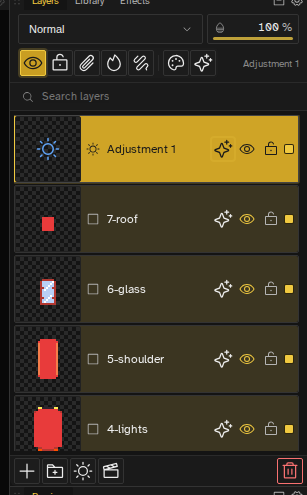
One layer per slice
Each horizontal slice of your 3D object lives in its own layer. Draw them top-down and aligned; the preview applies the slice spacing and shows the stack take shape. The layer panel gives you full control over visibility, order, and opacity.
Watch it in 3D while you draw
The preview panel renders your layer stack as a rotatable 3D object in real time. Spin it a full 360°, tune the layer spacing, and inspect the volume from any angle without exporting to see how your stack reads.
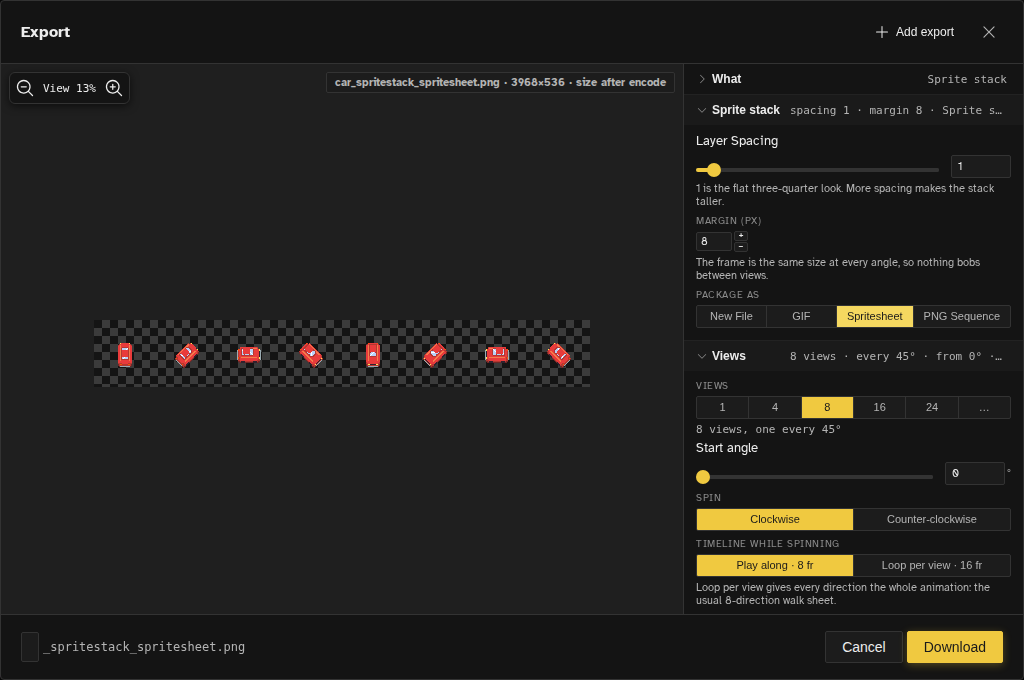
Export the rendered stack
When your stack is ready, export it straight from the stack renderer as a sprite sheet of rendered angles, an animated GIF turntable, or the slices as separate PNGs. Rotation, layer spacing, and output size are all configurable at export time.