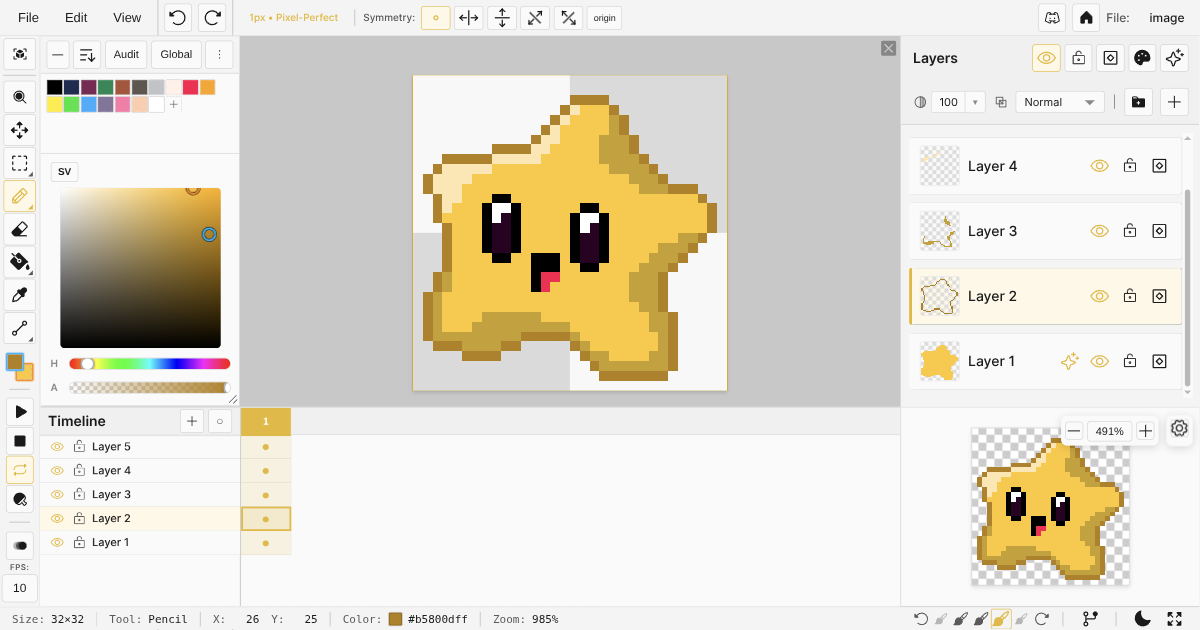

As part of the development of Novaboard, I am investigating similar software and interesting projects that I think make sense in the context of pixel art and indie game development.
In this guide, I am simply listing the tools that I have found and making the simplest of comparisons:
- What platforms does the software work on?
- Where can I find the software?
- How much does it cost?
- Is it open source?
- Where does its community live?
I will later on compare Novaboard directly to some of these tools in separate posts, so that I can better understand what Novaboard is still missing.
The short version
If you don’t want to read tables, here is how I would decide in 2026:
- You want to work in the browser, with nothing to install: Novaboard (my project, so I am biased), Piskel, or Pixilart. Novaboard also opens Aseprite, Piskel, and GraphicsGale files directly, which helps if you are switching.
- You want the desktop industry standard: Aseprite. It costs $20 and it is worth it.
- You want free and open source on desktop: LibreSprite or Pixelorama.
- You draw on a phone or tablet: Dotpict, Pixel Studio, Resprite, or Pixquare on iPad.
- You are stuck on a discontinued tool like GraphicsGale: see my notes after the first table.
Dedicated Pixel Art Editors
These tools are specifically designed for pixel art creation, with features like indexed color modes, animation timelines, and pixel-perfect drawing tools.
Notes on the dedicated editors
Aseprite is the tool most professionals will point you to, and for good reason: the animation workflow, indexed color support, and scripting are excellent. It is $20, buy once, and the source is available if you want to compile it yourself. If you just need to open or convert .aseprite files without installing anything, Novaboard reads and writes them in the browser.
Piskel taught a whole generation to make pixel art in the browser, but development has been inactive for years and it shows in the export options and missing quality-of-life features. Your .piskel files are not stuck though: you can convert them to PNG or keep working on them in a more actively developed browser editor.
GraphicsGale was a Windows classic and is still fine software, but it is no longer updated and never left Windows. If you have old .gal files, Novaboard opens them directly, and there is a .gal to PNG converter for quick exports.
Pixilart is as much a drawing community as an editor. Great for sharing and challenges, lighter on project features like tilesets and export pipelines. If you started there and want to go deeper, here is how Novaboard compares.
LibreSprite is a community fork of Aseprite from back when it was GPL licensed. Completely free, familiar interface, but it moves slowly and lags behind Aseprite in features. If you like free but want the modern features, Novaboard opens your .ase files in the browser.
Pixelorama is an impressive open source editor built with Godot, and it is actively developed. Free on itch.io, or $7 on Steam to support the team.
Pyxel Edit pioneered a great tileset workflow, but it has been sold as a beta for years and its own site says there is no guarantee it will be finished. If you have .pyxel files, they still open in Novaboard.
Lospec Pixel Editor deserves a mention even though it is not in the table: Lospec has announced it is no longer in development. If it was your browser editor, here is a maintained place to land, and your Lospec palettes import directly.
Switching from one of these? Open your file in Novaboard Drop an .aseprite, .piskel, .gal, or .pyxel file on the canvas. Layers, frames, and tags come with it.General Software for Pixel Art
These are general-purpose image editors that can be configured for pixel art work.
Interesting Software for Pixel Art
These are special tools that, for one reason or another, I think are interesting in the context of pixel art or indie game development.
| Name | Platforms | Where to find | Price | Open Source | Community |
|---|---|---|---|---|---|
| PixelOver | $30 | ||||
| SpriteStack | $10 | ||||
| Juice FX | $10 | ||||
| Pixel FX Designer | $10 | ||||
| SpriteMancer | $25 |
Conclusion
The pixel art editor ecosystem has real options for every taste and budget, from free browser tools to $30 desktop apps, and the best pick depends on how you work. If you make animations and sprite sheets for games all day, buy Aseprite. If you want to open a tab and start drawing right now, try Novaboard, free in your browser. And if you are migrating from an editor that stopped being updated, check the notes above: chances are your old files can come with you.
Try Novaboard in your browser Free, no account, no download. Opens .aseprite, .piskel, .gal, and .pyxel files.