
Like the last few, this release is mostly polish. Most of the work this cycle went into the parts of Novaboard you touch when you animate. The timeline and playback got a real rebuild, plus fixes for the blur tool, onion skin, the palette, and tablets. It’s another stepping stone toward 1.0 rather than a big new-feature drop, but the things you reach for every day feel better for it.
What’s new:
Timeline & Playback · Blur & Sharpen · Switch Colors Mid-Stroke · Onion Skin · Smaller Touches · Bug Fixes
Timeline & Playback
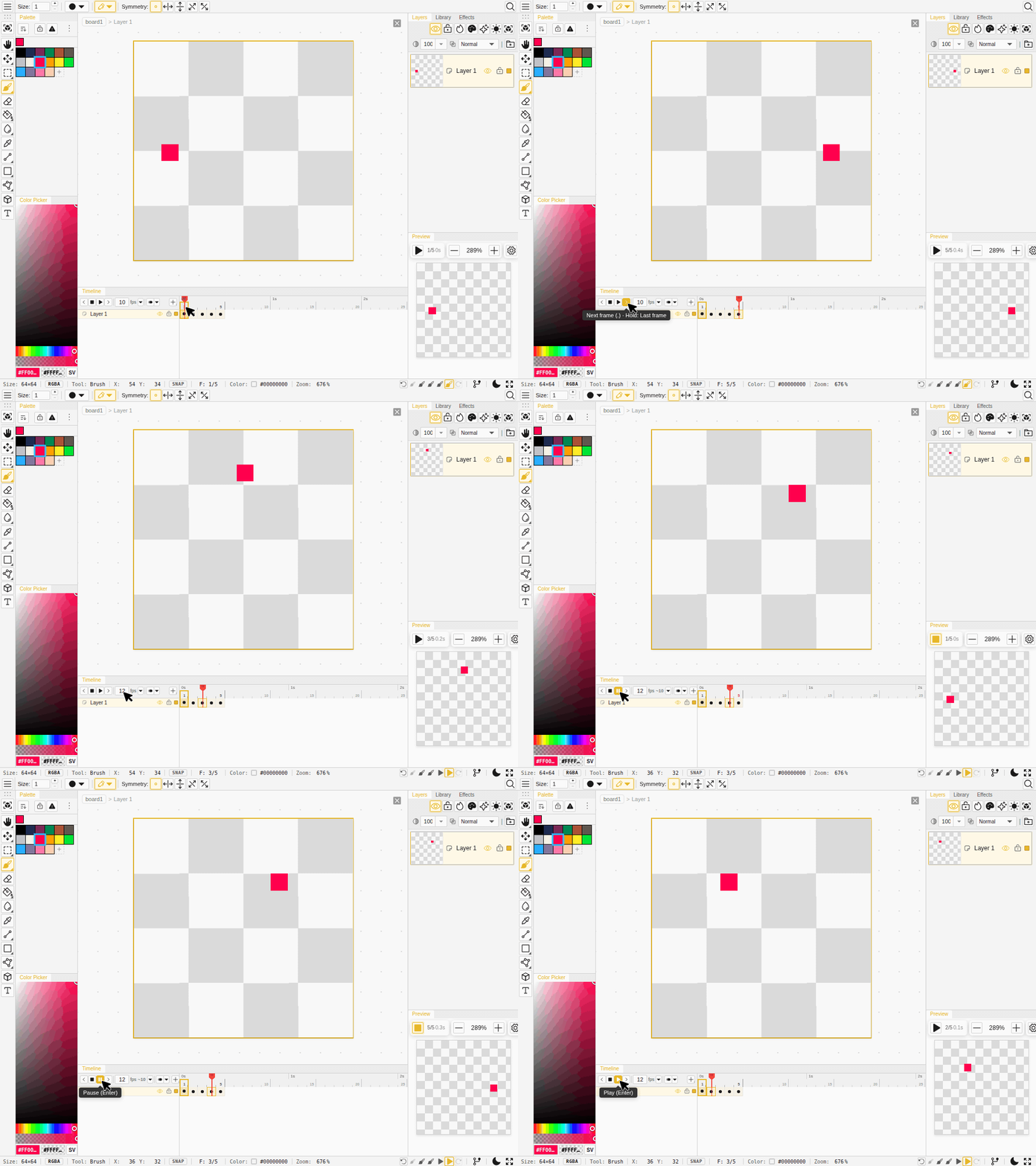
The timeline header was rebuilt around a proper transport, with everything sorted into clear zones:
- Real transport controls. Stop, step back, play, and step forward, laid out as one cluster. Long-press the step buttons to jump straight to the first or last frame.
- Editable frame-rate field. The frame rate now sits right in the header. Type a value to set it, or scroll to nudge it, and the little caret still opens the rest of the playback settings.
- Live actual rate. While it’s playing, the real measured rate shows next to the frame rate, so you can tell when your machine can’t quite keep up.
- One playback mode selector. The old Loop and Ping-pong checkboxes are now a single Once / Loop / Ping-pong control.
- Seconds lane. A thin lane below the frame numbers marks each whole second, so you can read timing at a glance.
- Clearer playhead. A continuous playhead with a square grip and a scrub badge, so it’s always obvious where you are and what you’re dragging.
Playback is steadier too. Each board now remembers its own playback speed across reloads, and the board and the preview panel finally play at the same speed instead of drifting apart.
Blur & Sharpen
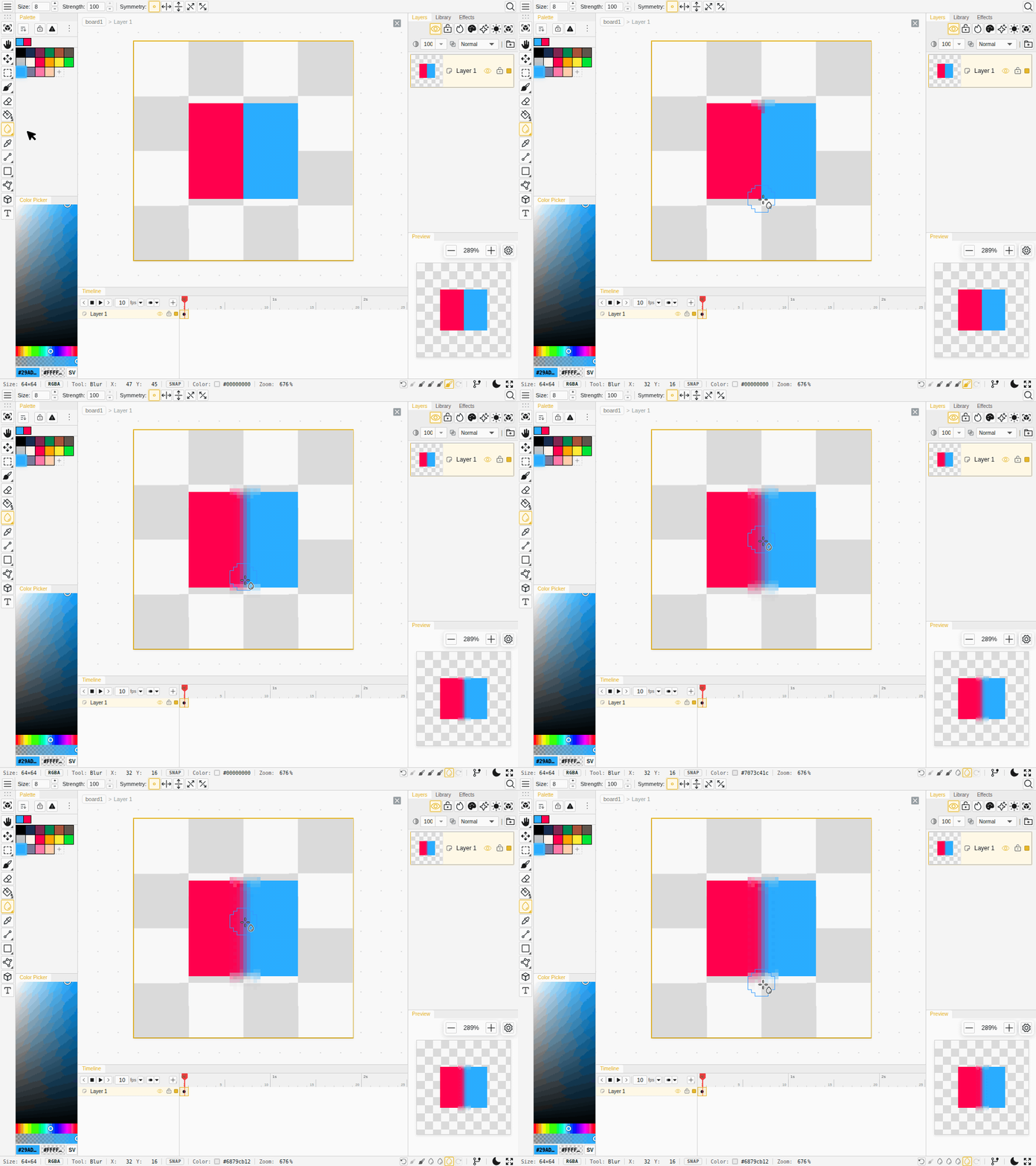
The blur tool now actually softens edges instead of just smearing the same pixels around. It also pulls double duty: the left button blurs, and the right button sharpens. That’s the same left-and-right split the dodge and burn tools use.
Switch Colors Mid-Stroke
Last release let you change color and size mid-stroke. Now you can swap between your primary and secondary color without lifting the pen. Press the other mouse button partway through a stroke and the rest of the line draws in the other color, still as a single undo step.
Onion Skin
Onion skin stays out of your way now:
- Ghosts follow the current frame. The onion markers and the ghosted frames now update as you move through the timeline.
- The canvas no longer freezes while onion skin is on.
- The preview panel stops wiping the on-canvas ghosts.
Smaller Touches
- Gradient tool dithers by default, for smoother blends out of the box.
- Show Pixel Grid and Tile Mode stick per board, so they’re how you left them after a reload.
- Tooltips never show on touch, so they can’t get stuck open on a tablet.
- Cleaner palette toolbar. Dropped the redundant color-mode badge from the palette header.
- Fewer interrupting toasts. Creating a palette group, deleting one, and moving a swatch or group no longer pop a notification.
Bug Fixes
- Shapes draw across the canvas edge. Polygons, triangles, and curves can now extend past the canvas bounds instead of being clipped while you draw them.
- Eyedropper syncs the palette. Picking a color with the eyedropper now highlights it in the palette.
- Narrow palettes keep their columns. A palette set to a single row, or with no fixed column count, now forms tidy columns instead of one long line.
- Palette group hover no longer shifts the layout as you move over it.
- Brush and preview line up. The brush outline and hover preview now sit exactly on the pixels you’re about to paint, at any zoom.
- Clip masks show up. The clipping-mask icon is back on layer rows, and turning a clip mask off updates the preview right away.
- Effects refresh the preview. Turning an effect on or off updates the preview panel immediately.
- Shift-line waits for a first point. Holding Shift before you’ve clicked once no longer snaps a line out of the corner.
- Tablet fixes. Pinch-to-zoom, rotate, move, draw, undo, and redo gestures are reliable again. The canvas-resize handles draw in the right place instead of over your panels. And the palette colors show up in the new-board dialog on iPad.
- Timeline header stays clear. The playback controls no longer overlap the frame numbers, and the seconds lane fills the full width.
- Layers stay separate. Fixed a glitch where one layer’s effect could briefly bleed onto another.