
Like the last few, this release is mostly polish. The work this cycle went toward squaring Novaboard away for a 1.0 release — tightening the editor and smoothing the things you reach for every day. v0.17.0 is another stepping stone rather than a big new-feature drop, but there’s plenty you can see and touch: a Key/Mouse Preview overlay for recordings, a Canvas Size dialog you can drag and zoom directly, and a rebuilt animation-tags panel.
What’s new:
Key & Mouse Preview · Interactive Canvas Resize · Animation Tags, Redesigned · Effects: Copy, Paste & Batch Edits · Layers · BMP & AVIF Export · Desktop · Smaller Touches · Bug Fixes
Key & Mouse Preview
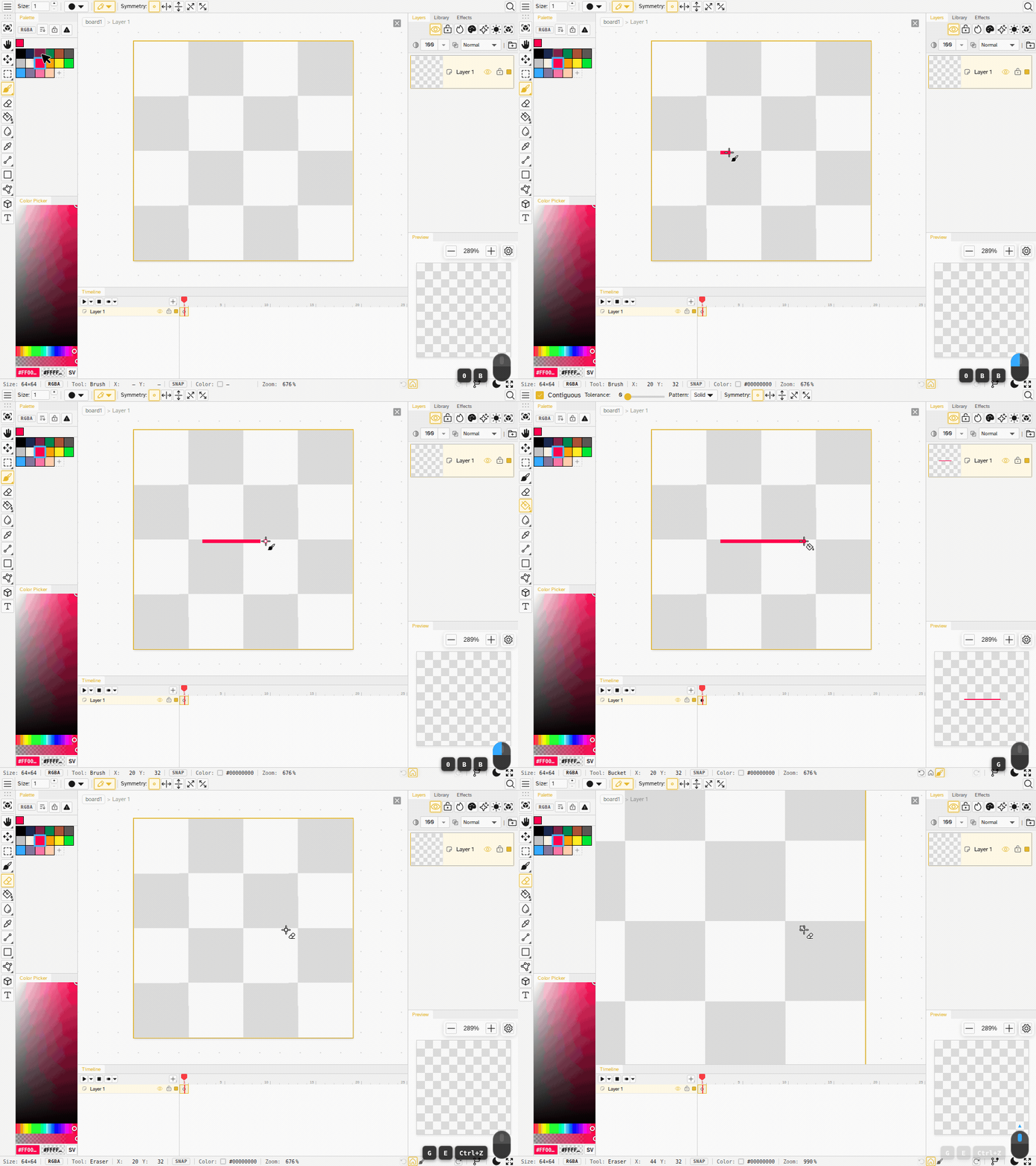
A new toggleable Key/Mouse Preview overlay (View → Key/Mouse Preview) shows your recent keyboard chords and mouse activity in the bottom-right corner — handy for screen recordings and tutorials.
- Mouse glyph shows button presses and scroll while the overlay is on
- Key badges collapse a held repeat, render a modifier chord as a single badge, keep the last four, and fade after a moment
- Pulsing ring while held: a held key now shows a pulsing ring, so it’s easy to tell a held key apart from a quick tap
Interactive Canvas Resize
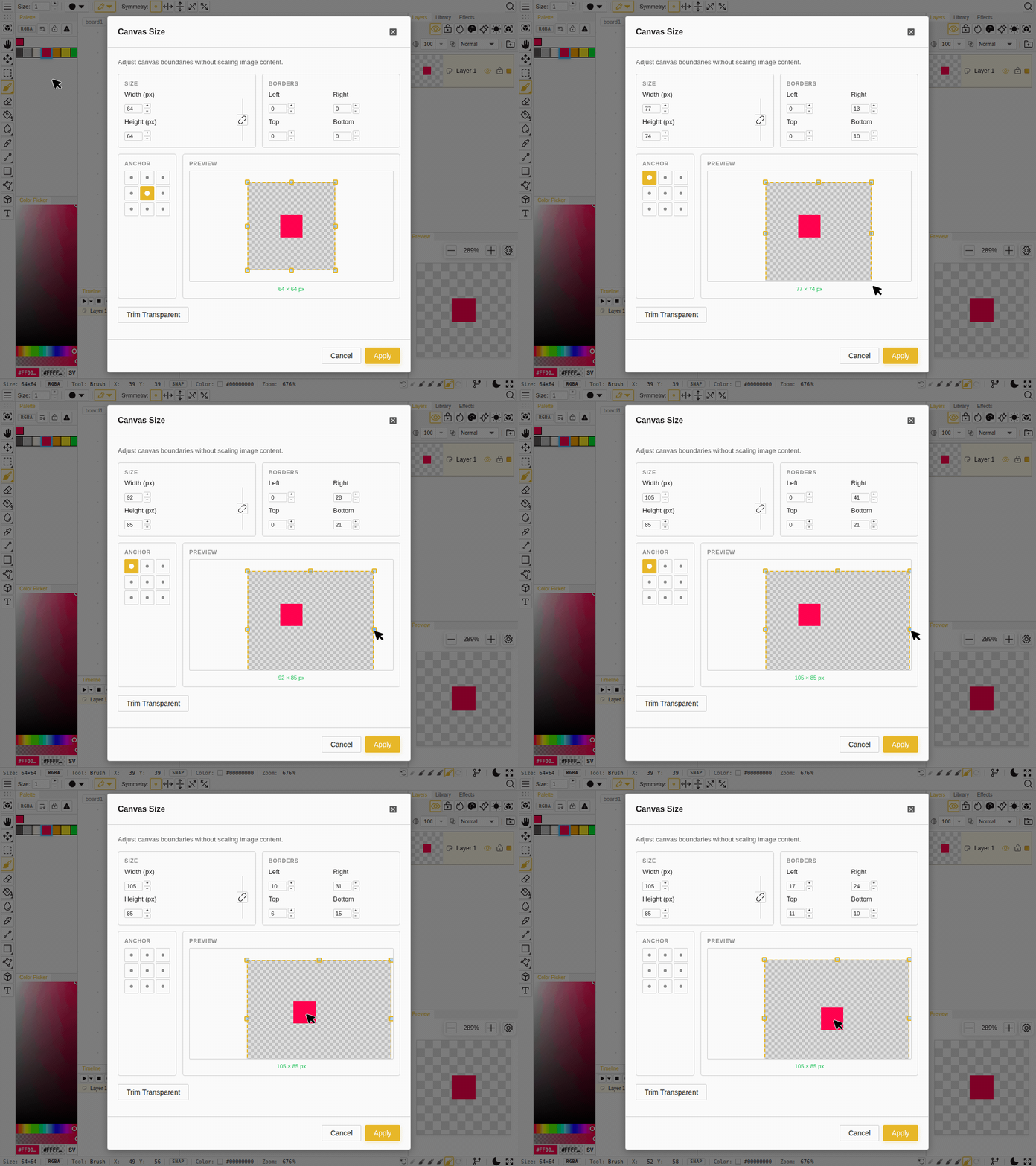
The Canvas Size dialog preview used to be a static picture. Now it’s a live editor:
- Drag the eight handles to resize the canvas
- Drag the image to reposition your content — it sticks to your cursor while the canvas reflows behind it
- Scroll to zoom (anchored to the cursor) and drag the background to pan
Animation Tags, Redesigned
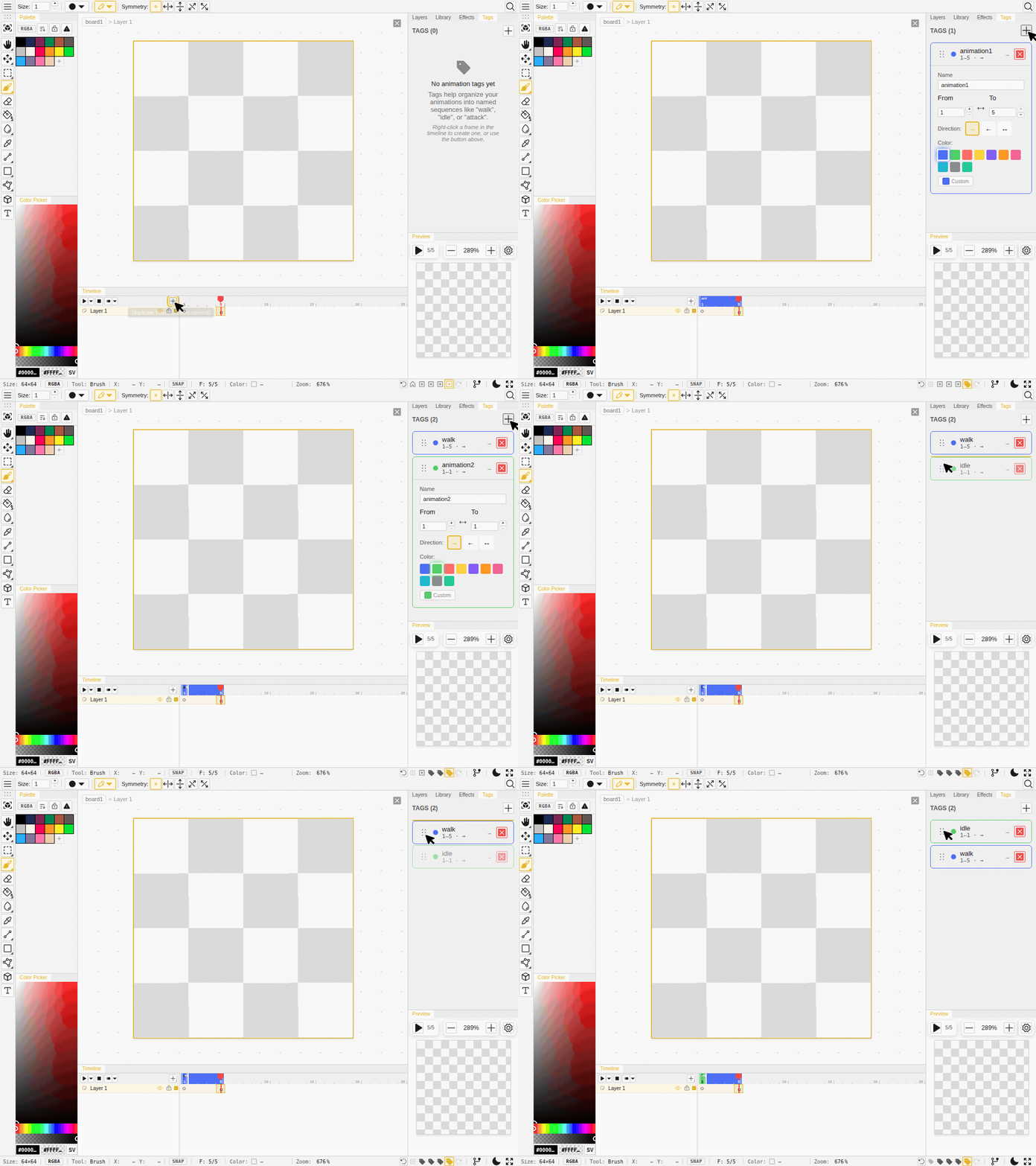
The animation-tags panel was rebuilt to match the effects list:
- Add-then-edit flow: the + button creates a tag with sensible defaults and opens it for editing right away
- Card layout with a compact summary line, several cards open at once, and drag-to-reorder
- The card border uses the tag color so tags are easy to tell apart at a glance
- Create a tag from a selection: right-click selected cels to make a tag spanning their frame range (the action hides when the range would overlap an existing tag)
- Frame numbers match the timeline: the tag editor now counts frames from 1 on both desktop and mobile
Effects: Copy, Paste & Batch Edits
The effects list grew clipboard support and cleaner history:
- Copy / paste / cut / duplicate: select effect cards (click, Ctrl/Shift+click, or the right-click menu) and use Ctrl+C / Ctrl+V / Ctrl+X / Ctrl+D — paste adds fresh copies, and you can paste them onto a different layer or group
- One undo step for multi-layer edits: changing an effect with several layers selected now undoes in a single step instead of one per layer
- Steadier panel: the add-effect button and the panel no longer jump or resize when the menu opens, and the bake button stays put
Layers
- Ctrl+A selects all layers when the layer panel is focused (clicking a layer now focuses the panel); drawing on the canvas hands focus back, so Ctrl+A still means Select All there
- Smarter group placement: a new group lands directly above the topmost selected layer, in that layer’s level of the hierarchy, instead of jumping to the very top
- Reorders show immediately: moving or reordering layers and toggling group visibility now repaint the board right away
BMP & AVIF Export
- BMP and AVIF export correctly in every browser: previously, on some browsers, exporting to one of these formats could quietly save a PNG under the wrong file extension — both now produce real, correct files everywhere
Desktop
- Codebase moves from Tauri to Electron for more consistent rendering across platforms — groundwork for the paid desktop app, which still isn’t out yet
Smaller Touches
- Change brush color or size mid-stroke: pick a new color or resize the brush while drawing and it applies to the rest of the stroke — the pixels already down keep their color and size, and it’s still a single undo step
- New starter sizes: 24×24 and 48×48 join the new-board size presets
- Onion-skin and playback menus close on Escape in the timeline
- Copy the whole cel: Ctrl/Cmd+C with nothing selected now copies the current cel
- More translations: a batch of UI text that was still showing in English (Command Palette, Quick Open, the menu bar, Grayscale / Indexed / Pointer, onion skin, the layer-locked toast, and more) is now translated across all 14 locales
Bug Fixes
- Firefox is sturdier: fixed saving and blank-board rendering on Firefox
- Saving recovers gracefully if the storage connection is interrupted, instead of getting stuck
- The brush fill keeps pace with its outline while you scrub the brush size with the D shortcut
- Symmetric brush strokes are pixel-perfect: mirrored strokes no longer leave dashed gaps along the diagonal axes
- Size-2 lines stay 2px thick at every angle: diagonal size-2 lines no longer thin out to a single pixel
- The shift-line preview matches the result: the straight-line preview now traces exactly the stroke you get on release, at every brush size and angle
- Shift+click layer ranges follow the visible order: selecting a range of layers no longer skips layers inside or around groups
- Narrow palette layouts work: setting a palette to 1, 2, or 3 columns no longer snaps back to about four
- Placed text drags accurately: moving committed text now follows the pointer exactly instead of drifting
- Shapes commit cleanly, so the finished shape can’t be hidden behind a leftover drag preview
- Drag previews don’t blank your art: shape, curve, and polygon previews now draw over your existing pixels instead of making the canvas look erased mid-drag
- Switching off the eraser repaints cleanly, so it can’t leave a stale erased frame on screen
- The transform preview survives moving the cursor off the canvas mid-transform
- The canvas updates right away when you change a tween, transform, or onion-skin setting
- The history carousel stays in view: selecting a past step now centers and highlights it in the status bar
- No new-board flash: the board list no longer flashes a broken-image icon and filename before a new board’s thumbnail is ready
- Cursor accuracy: buttons near the pointer show the hand cursor instead of the grab cursor
- Panels rearrange reliably: fixed drags that could drop while moving panels around
- Fixed a crash in the voxel viewer when closing it
- Cels no longer get stuck mid-stroke during continuous drawing
- iPad draws with one finger: a single finger or pen now draws instead of panning on iPad
- No browser translation pop-up: the browser’s built-in page translator no longer offers to translate the editor over itself