
Nova feels much lighter on large canvases this release, all the way up to its 4k limit. Layer effects can now animate across keyframes, with six new effects (Posterize, Threshold, Chromatic Aberration, Parallax, Bit Crusher, Wave) joining the list. Every export config can carry its own effect stack. Spritesheet import can carve frames straight from slices. Pixelorama (.pxo) and Pixilart (.pixil) join the export menu. And Artkal bead palettes land in crafts export.
What’s new:
Performance · Animated Layer Effects · New Layer Effects · Per-Export Effects · Spritesheet Slices Import · Pixelorama & Pixilart Export · Artkal Beads · Grayscale View · New Board Dialog · Animation Improvements · Isometric Ramps · Starters · Bug Fixes
Performance
Work across the editor this release to keep Nova feeling light on big projects, all the way up to the 4k canvas limit:
- Smoother brush strokes on large boards
- Faster saves and loads on large projects
- Smaller
.novafiles on disk - Snappier layer panel as you edit
- Smoother previews and hover — they keep up with what you’re drawing
Because so much of the drawing and storage path was reworked, some edge cases may slip through. If you notice anything rendering or saving incorrectly compared to past versions, please report it so we can fix it quickly.
Animated Layer Effects
Layer effects on regular layers now follow the timeline:
- Per-keyframe effect parameters — change a slider on frame 10 and a different slider on frame 20, and the effect tweens between them as the playhead moves
- Adding an effect at a specific keyframe keeps its values local to that frame instead of spreading across the whole timeline
- Copy/paste a cel brings its transforms and effect parameters along
Six New Layer Effects
- Posterize — collapse a layer to a chosen number of color steps
- Threshold — flatten a layer into pure black/white based on brightness
- Chromatic Aberration — split the red and blue channels by a few pixels for a retro lens look
- Parallax — shift the layer with wrap-around, great for scrolling backgrounds
- Bit Crusher — quantize the colors for a lo-fi feel
- Wave — distort the layer along a sine wave, with pinning and wave-type controls
The Effects dialog also got a bigger modal and a cleaner add-effect dropdown so picking from a longer list is less cramped.
Per-Export Effects
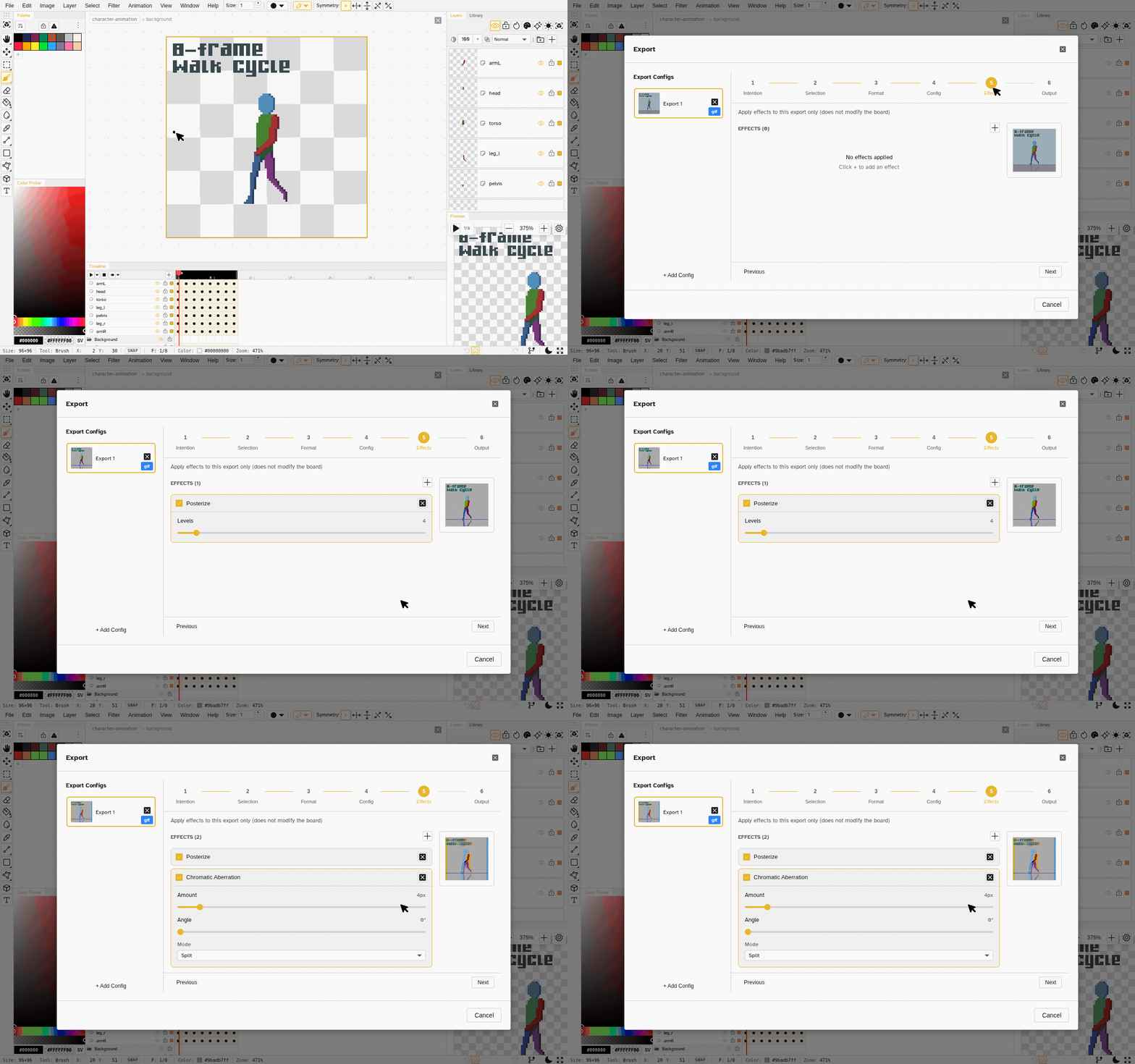
Every export config can now carry its own set of layer effects:
- Stack effects only at export time — keep your working file clean, then apply Bit Crusher / Wave / Posterize when you ship the GIF
- Step over frames in model exports — choose every frame, every other, every third, etc.
- Sprite stack export format added to the model exporters
- Export configs persist — your tweaks are saved per board instead of resetting each session
Handy for re-exporting the same artwork with different looks — for example, the same sprite in a few palettes — without touching the source board.
Spritesheet Slices Import
- Import a spritesheet by slices — if the PNG already carries slice metadata (or you draw slices on the source), the new slices mode pulls those rectangles in as frames instead of guessing at a grid
Pixelorama & Pixilart Export
Last cycle we added Pixilart import. This cycle they go the other way too:
- Export as Pixelorama (
.pxo) — full round-trip with other Pixelorama users - Export as Pixilart (
.pixil) — share your work straight into the Pixilart ecosystem
Artkal Bead Palettes
Crafts export grew a beads selector with four new palettes:
- Artkal A — the classic 5 mm series
- Artkal C — mini 2.6 mm beads
- Artkal S — soft beads
- Artkal ZD — Artkal blocks, the rectangular variant
Color codes carry into the PDF export. The crafts color system is now split into threads and beads groups so the picker stays manageable as more palettes land.
Grayscale View Toggle
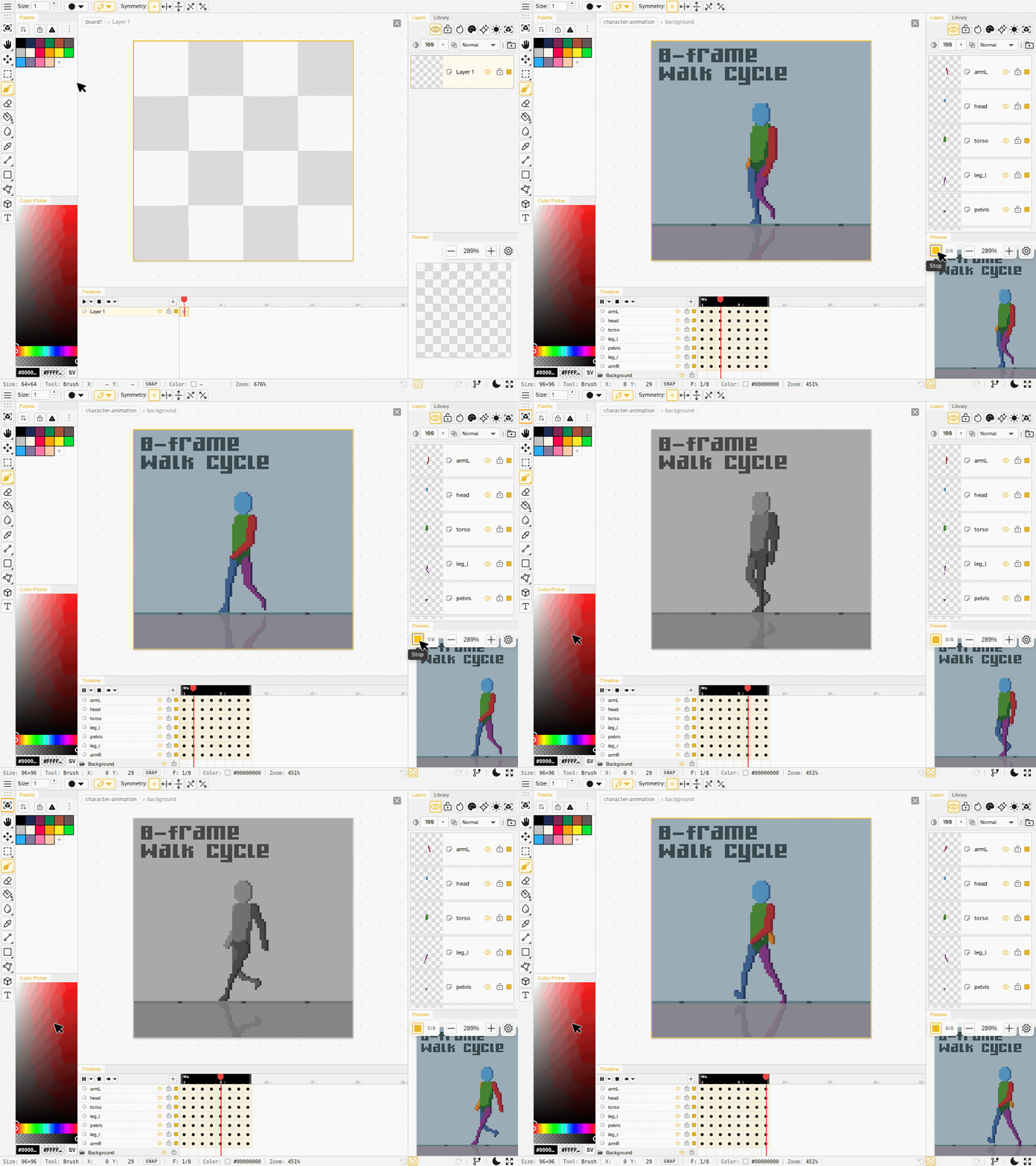
- View → Grayscale Mode (Ctrl+Shift+U) — flip the whole canvas to grayscale without changing a pixel. Useful for checking value contrast on a colored piece; toggle it off and your colors come right back. The preview panel stays in color so you can compare
New Board Dialog
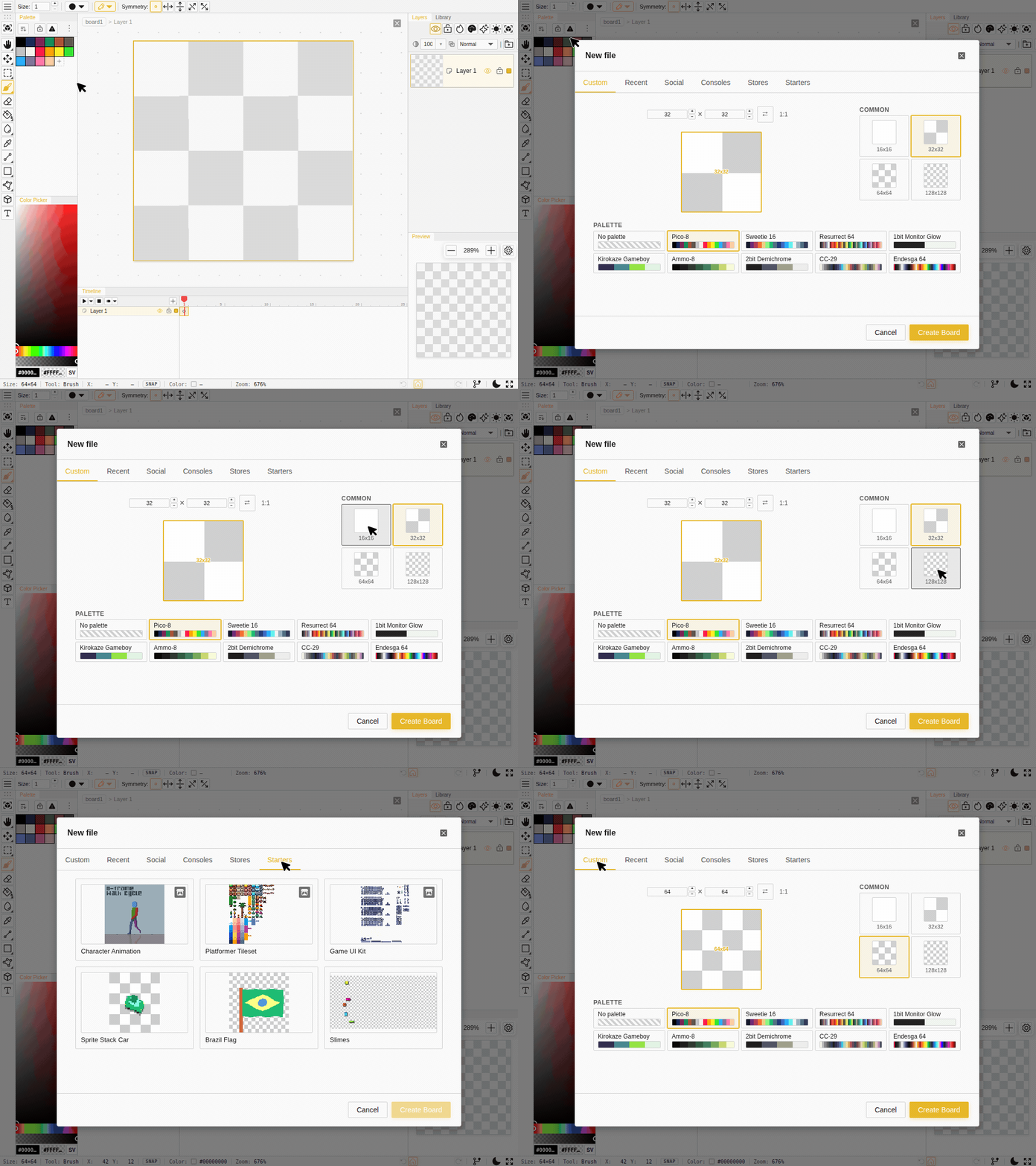
- Common sizes as preview cards — the most-used canvas sizes show as cards in the right column of the Custom tab, so you can pick or tweak from there without flipping tabs
- Common tab merged into Custom — one tab instead of two; everything you used to do still works
Animation Improvements
- Insert keyframe targets the same thing everywhere — the shortcut and the right-click menu now both insert at the cel you’d expect
- Freeze interpolated state — inserting a keyframe in the middle of a tween locks in the in-between values you can see on screen
- Preview settings stick to the file — your preview tab settings save into the
.novafile with the board
Isometric Ramps
- Cap-aware styled ramps that line up with the new open-box cuboid wireframes
- Proportional shift-resize and clean side-face fill
- Smarter slope — the ramp stair follows the proportions you draw at
- Mirrored orientations match the styled cuboid output
New Starter Boards
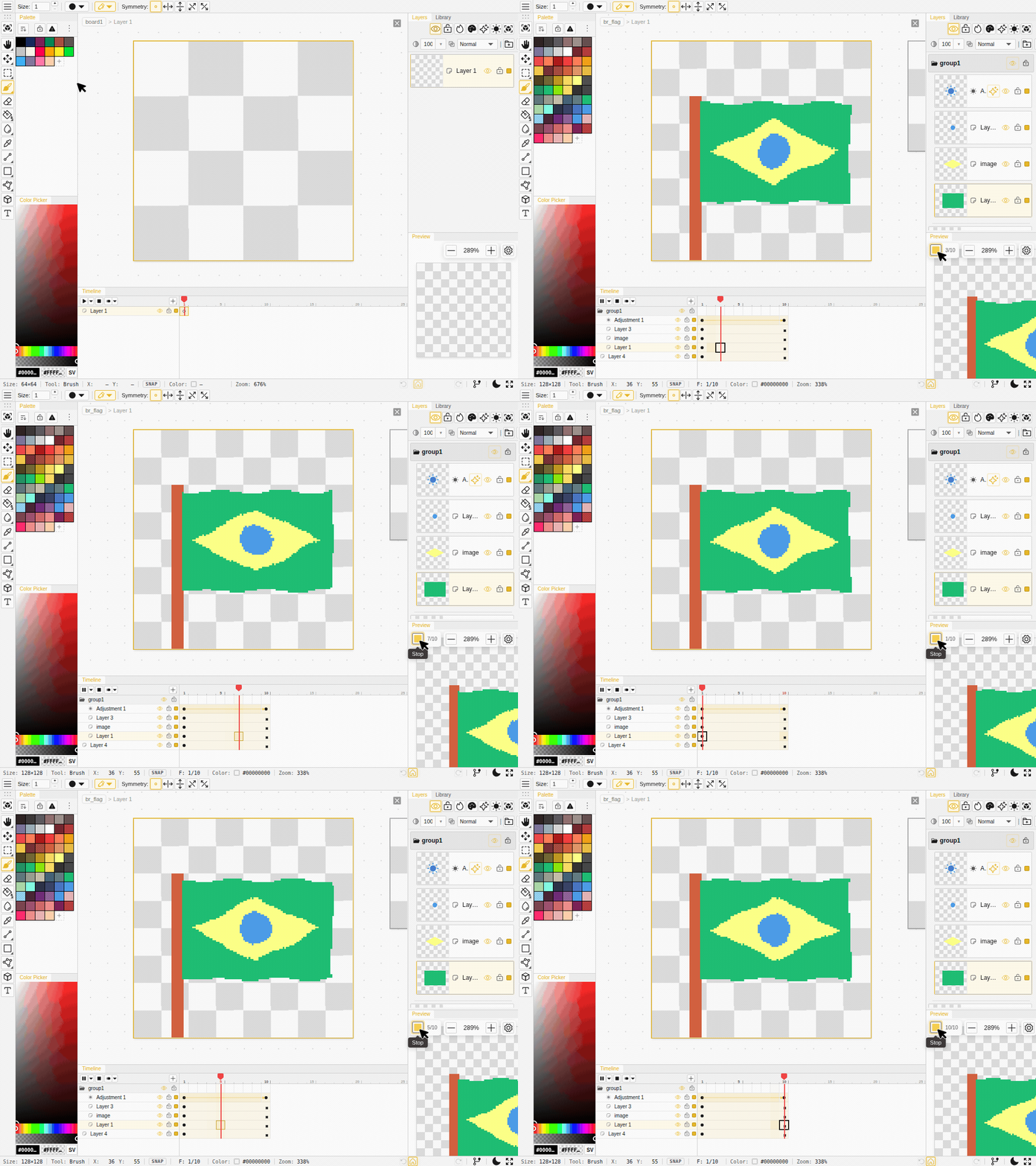
- Brazil flag — animated flag built around the new Wave effect, great as a first look at per-keyframe effects
- Sprite-stack car — a small ready-to-go example for the sprite-stack workflow
- Slimes — keyframe-effect animated starter, with an MP4 thumbnail in the picker
Bug Fixes
- GIF exports keep transparency instead of flattening it
- Tween layer effects render on clipping groups during export
- Wave effect pinning and wave type render correctly
- Text tool renders wide Unicode characters correctly (CJK, extended ranges, etc.)
- Color reducer works for any color count, not only powers of two
- Wheel menu closes on Escape
- Clip layer transforms don’t leak across layer changes
- Split image / Insert keyframe / Insert frame undo restores the cel content that was there before
- Layer visibility toggle takes effect immediately
- Layer-image imports show up without needing a second click
- Language detection works on first load — no more flicker between English and your preferred locale