
The isometric tool can now draw open boxes, with visible walls and floor. Pixilart files import directly into Nova. You can carve out a piece of your canvas and send it straight to a fresh board. Animation export lets you pick a single tag (like “walk” or “jump”) instead of the whole timeline. And under the hood, playback, the layers panel, and the timeline got a lot smoother.
What’s new: Open-Box Isometric Shapes · Pixilart Import · Slice to a New Board · Tool Links · Export by Animation Tag · Brush Size Scroll Preference · Search User Preferences · Performance · Bug Fixes
Open-Box Isometric Shapes
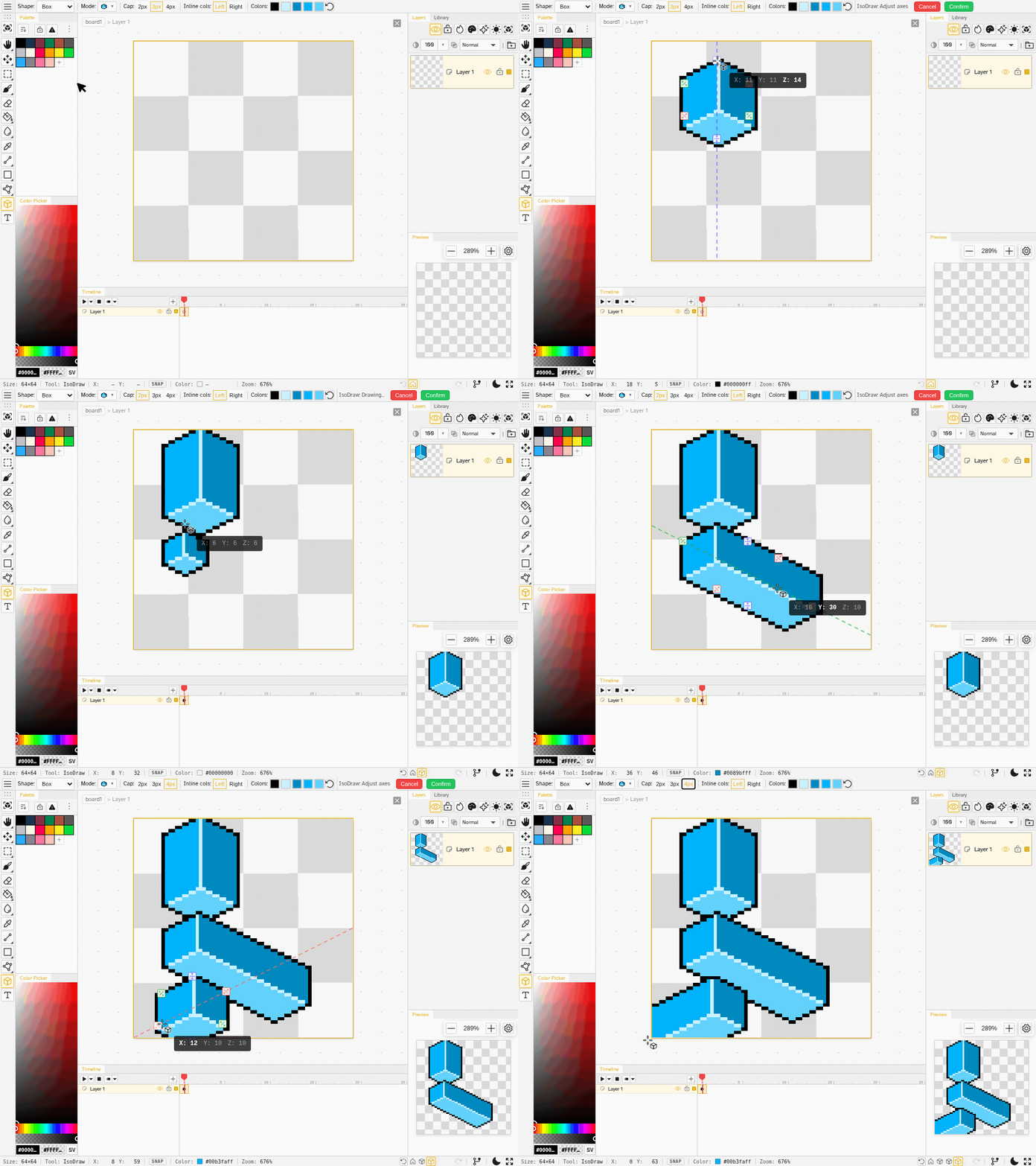
The isometric tool gets a new “open box” mode that draws the inside of a cuboid, with back walls and a floor visible:
- Works at every cap size (2, 3, and 4 pixel)
- Toggle the middle dividing line on or off
- Cleaned-up edges so the back walls line up nicely at every width
Pixilart Import
.pixilfiles import directly - Drop a Pixilart file onto the canvas (or use File → Import) and your frames and layers come in as a Nova project, ready to keep working on
Slice to a New Board
- Right-click → create slice and send to new board - One step from a marquee selection to a brand new board containing just that piece
- Slice visibility turns on automatically while the slice tool is active, so you always see what you’re cutting
Tool Links
- Links can open Nova straight into a specific tool - Links from the docs or marketing pages now drop you into the right tool the moment the editor loads. For example, novaboard.app/?tool=iso-draw opens the editor with the isometric drawing tool already selected
Export by Animation Tag
The frame and animated GIF export tools picked up a tag picker:
- Export a single animation tag - Pick “walk”, “jump”, or any tag you’ve defined and export just those frames instead of the whole timeline
- Sprite sheet rows or columns - New layout toggle for the sprite sheet exporter
Static layers (drawn only on frame 0) now render correctly on every frame during export, so backgrounds and reusable art come through as expected.
Brush Size Scroll Preference
- Pick your scroll direction - A new preference under Editor Behavior lets you flip Ctrl+scroll so scrolling down makes the brush bigger (Aseprite-style). Default direction is unchanged
- Brush preview updates live while you scroll the size with Ctrl+wheel
Search User Preferences
- Find a setting fast - The User Preferences dialog has a search box that filters settings as you type. Non-matching settings and sections hide out of the way; matching ones stay where they are so you can flip the toggle or drag the slider right there
Performance
A big round of polish across playback, the layers panel, and the timeline:
- Smoother playback - Status bar counters and other writes pulled out of the hot path
- Layers panel stays responsive during edits, with thumbnails reusing rendered frames instead of redoing the work
- Timeline scrolls smoothly when the playhead follows the cursor
Long animations and busy layer stacks should feel noticeably less janky.
Bug Fixes
- Strokes drawn while a filter panel is open are kept - Closing or canceling the panel no longer wipes anything you painted on top
- Auto-Shade filter remembers its work when you adjust other filters in the same session
- Line tool stays at its set thickness instead of getting thicker or thinner with the fill setting
- Shape and curve cursor previews show the right thickness so what you see matches what you’ll draw
- Frame-by-frame transforms survive saving and loading - Per-frame position and rotation come back exactly as you left them after a
.novaround-trip - Brushes and library items no longer leak onto the infinite canvas workspace
- Timelapse exports the right frame - Frames now match up correctly throughout the recording
- Brush preview hides when your pointer leaves the canvas instead of sticking at the edge
- Selection marquee updates while you drag with the wand instead of waiting for you to release
- Bottom row of isometric ramps no longer drops out
- Sliders no longer snap to the wrong value when their range changes
- “Open in Novaboard” from a tool now works reliably the first time